
In today’s fast-paced content landscape, creators must balance multiple platforms, projects, and deadlines simultaneously. Whether you are a blogger, YouTuber, podcaster, social media manager, or designer, managing your creative workflow efficiently is essential. Productivity tools for creators provide the organization, structure, and focus needed to consistently produce high-quality content without burnout.
The right tools allow you to plan content, track tasks, collaborate with teams, manage projects, and automate repetitive processes. They help reduce distractions, prevent missed deadlines, and free up mental energy for actual content creation. From AI-powered planning software to time-tracking apps, these tools are designed to support every stage of the creative process.
Understanding Productivity in Creative Work
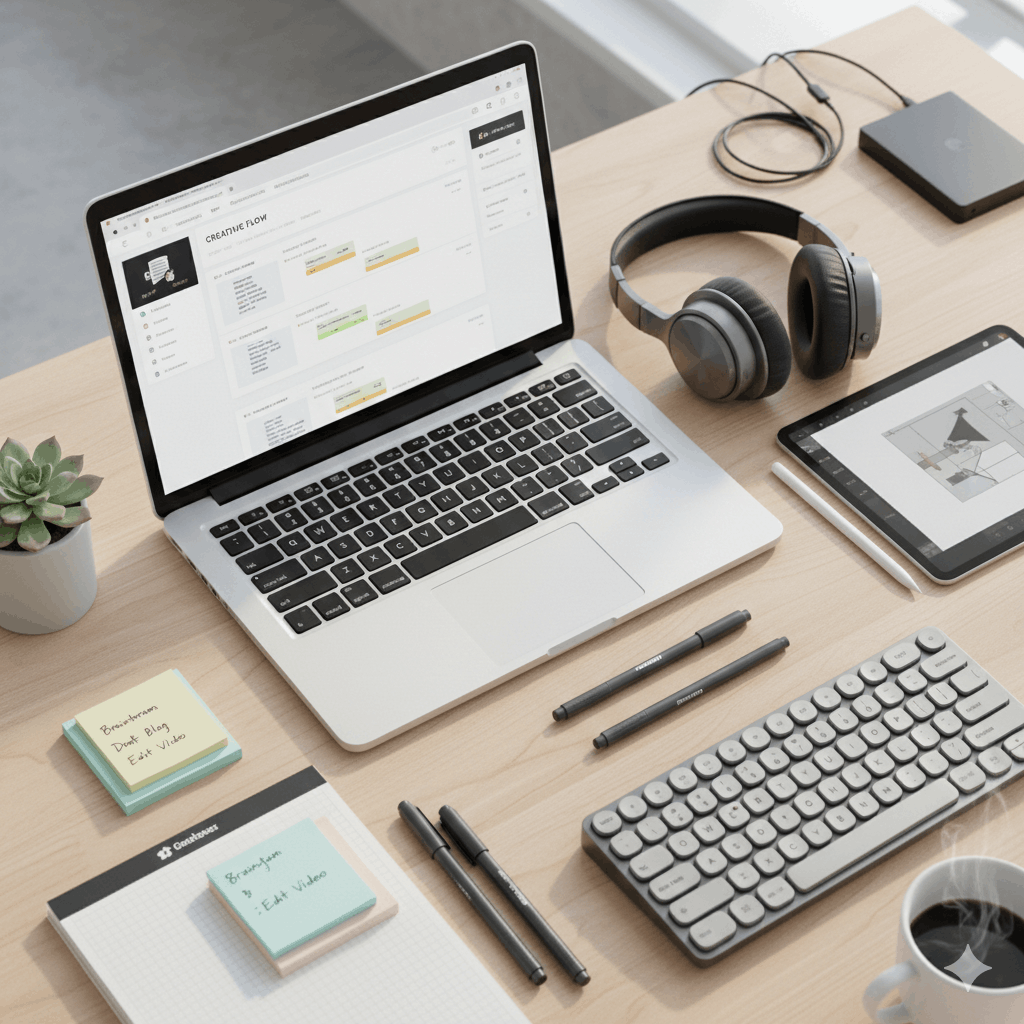
Productivity for creators differs from traditional office productivity. Creative work relies on uninterrupted focus, idea generation, and iterative refinement. Managing multiple types of content—blogs, videos, podcasts, graphics—requires flexible systems capable of handling complex workflows.
Creator productivity tools are built to:
- Organize ideas and content across multiple platforms
- Streamline repetitive tasks
- Track progress across projects
- Maintain consistent content schedules
By using these tools strategically, creators can focus on creativity rather than constantly reorganizing tasks or chasing deadlines.
Why Every Creator Needs Dedicated Productivity Tools
Many creators struggle not with lack of ideas but with workflow management. A scattered system can lead to missed deadlines, duplicated efforts, and wasted mental energy. Productivity tools for creators provide:
- Content planning: Map topics, scripts, or episodes into structured schedules
- Task management: Track the steps required for each project
- Collaboration features: Coordinate with team members or clients efficiently
- Automation options: Handle repetitive tasks like scheduling posts or reminders
These benefits make productivity tools essential, especially for creators managing multiple channels or juggling client projects.
Key Categories of Productivity Tools for Creators
Task and Project Management Tools
Task management tools break projects into actionable steps, from brainstorming to publishing. Creators can prioritize tasks, set deadlines, and visualize progress. Project management tools extend this functionality for multiple simultaneous projects, often including:
- Kanban boards for visual workflow tracking
- Timeline views for long-term planning
- Collaboration features for team coordination
Keywords integrated naturally: workflow tools for creators, project management tools for creators, task management tools for creators
Time Management and Scheduling Tools
Time management tools allow creators to structure their workday effectively. Features include:
- Task timers and Pomodoro tracking
- Daily, weekly, or monthly schedules
- Alerts and reminders for deadlines
Scheduling tools help plan content publication across blogs, social media, and video channels. Consistent scheduling is critical for maintaining audience engagement without last-minute rushes.
Keywords: time management tools for creators, creator scheduling tools, productivity tools to save time for creators
Content Planning and Editorial Calendars
Content planning tools allow creators to map ideas into actionable projects. Editorial calendars provide a visual roadmap of upcoming content, balancing publishing frequency and topic variety. Key benefits include:
- Preventing content gaps
- Coordinating campaigns across multiple channels
- Maintaining long-term consistency
Keywords: content planning tools for creators, content calendar tools for creators, editorial calendar tools for creators
Note-Taking and Idea Management Tools
Creative ideas often arrive at unexpected times. Note-taking and idea management tools help:
- Capture concepts instantly
- Organize notes by project or topic
- Prioritize ideas for future content
These tools ensure no valuable idea is lost and enable smooth integration into content workflows.
Keywords: note-taking tools for creators, idea management tools for creators
AI and Automation Tools
AI and automation are increasingly critical in creative workflows. AI productivity tools for creators can:
- Summarize research notes
- Generate content outlines
- Suggest workflow optimizations
Automation tools manage repetitive tasks such as scheduling posts, sending reminders, or updating content trackers. This allows creators to focus on generating high-quality content rather than administrative work.
Keywords: AI productivity tools for creators, automation tools for content creators
All-in-One Productivity Platforms
All-in-one productivity tools consolidate task management, planning, note-taking, and collaboration in a single platform. They reduce app switching and give creators a comprehensive overview of projects and deadlines. While these tools can be feature-rich, customization is key to fit individual workflows.
Productivity Tools by Creator Type
Different creators face unique challenges, and the right tools can vary depending on the type of content being produced. Choosing tools that match your workflow is critical to staying productive.
Productivity Tools for Bloggers and Writers
Bloggers and writers often juggle research, drafting, editing, and publishing. Productivity tools help manage each stage of the process:
- Writing tools for drafting articles efficiently
- Editorial calendars for scheduling posts
- Task management for tracking research, revisions, and deadlines
These tools streamline content creation, making it easier to maintain consistent posting schedules and quality.
Keywords: productivity tools for bloggers, productivity tools for writers, content creation workflow tools
Productivity Tools for YouTubers and Video Creators
Video production involves scripting, filming, editing, and uploading. YouTubers benefit from tools that track all stages of video production and help plan content effectively. Features include:
- Task boards for filming and editing stages
- Collaboration tools for team projects
- Scheduling software to ensure consistent upload frequency
These tools keep the production process organized and prevent missed deadlines, ensuring a steady content output.
Keywords: productivity tools for YouTubers, workflow tools for creators
Productivity Tools for Social Media Creators
Social media creators manage multiple platforms simultaneously. Tools designed for them often include:
- Content calendars for scheduling posts
- Analytics dashboards to track engagement
- Collaboration features for team-based campaigns
Effective productivity tools for social media creators save time and improve consistency across channels.
Keywords: productivity tools for social media creators, content planning tools for creators
Productivity Tools for Designers and Podcasters
Designers and podcasters handle unique workflows. Designers need tools to manage asset libraries and revision requests. Podcasters benefit from tools for episode planning, recording schedules, and post-production tracking. Collaboration features are particularly important for creators working with teams or clients.
Keywords: productivity tools for designers, productivity tools for podcasters, collaboration tools for creators
Free vs Paid Productivity Tools
Choosing between free and paid tools depends on workflow complexity, team size, and budget.
Free Productivity Tools for Creators
Free tools are ideal for solo creators or those starting out. They often include:
- Basic task and project management
- Simple content calendars
- Note-taking and idea organization
While free tools provide core functionality, they may have limits on storage, integrations, or automation.
Keywords: free productivity tools for creators
Paid and Premium Productivity Tools
Paid tools offer advanced features suitable for creators with larger workloads or teams. Benefits include:
- Automation of repetitive tasks
- Advanced analytics and reporting
- Collaboration features for multi-person projects
- Integration across multiple platforms
Investing in paid tools often results in time saved and improved efficiency, allowing creators to focus on producing high-quality content.
Keywords: premium productivity tools for creators, best paid productivity tools for creators
Building a Creator Productivity Stack
A productivity stack combines multiple tools to cover every aspect of a creator’s workflow. Instead of relying on one platform, creators often use:
- A task manager to track projects and deadlines
- A content planning tool for editorial calendars and brainstorming
- A note-taking or idea management app to capture concepts
- Automation or AI tools to streamline repetitive tasks
Customizing your stack ensures all stages of content production are managed efficiently. The right combination improves workflow visibility, reduces stress, and supports consistent output.
Keywords: creator productivity stack, tools to boost creator productivity
Common Productivity Mistakes Creators Make
Even with the best tools, creators can fall into productivity traps:
- Overloading with too many tools, causing confusion
- Skipping regular reviews of workflows
- Not prioritizing tasks effectively
- Failing to adapt tools to the specific content type
Avoiding these mistakes ensures tools truly enhance creativity rather than creating additional overhead.
Focus and Distraction Management Tools
Maintaining focus is a major challenge for creators. Tools designed for distraction management can help:
- Block distracting websites or notifications
- Set timers for focused work sessions
- Track productivity and identify patterns of inefficiency
Integrating focus tools into your stack ensures that time spent on content creation is high-quality and uninterrupted.
Keywords: focus tools for creators, distraction-free writing tools for creators.
Advanced AI Productivity Tools for Creators
Artificial intelligence has transformed the way creators manage workflows. AI productivity tools for creators are designed to automate repetitive tasks, provide intelligent recommendations, and enhance content quality. These tools can:
- Generate outlines for blog posts, videos, or podcasts
- Suggest improvements to scripts or articles
- Automatically schedule posts based on audience engagement patterns
- Track productivity trends to identify bottlenecks
By integrating AI productivity tools into daily workflows, creators can spend less time on administrative work and more time on content creation.
Keywords: AI productivity tools for creators, automation tools for content creators
Collaboration and Team Productivity Tools
Many creators work in teams or collaborate with clients, requiring tools that support shared workflows. Key features include:
- Shared task boards and project timelines
- Real-time communication and file sharing
- Collaborative calendars for campaign planning
Team productivity tools for creators ensure everyone stays aligned, deadlines are met, and content quality remains consistent. Even remote teams can function efficiently using cloud-based collaboration platforms.
Keywords: team productivity tools for creators, remote productivity tools for creators, collaboration tools for creators
Productivity Tools for Content Scaling
Scaling content production requires tools that maintain quality while increasing output. Productivity tools for creators to scale effectively include:
- Multi-platform management tools for posting content across blogs, social media, and video channels
- Content optimization tools for SEO, readability, and engagement
- Scheduling and automation platforms to reduce repetitive tasks
Scaling tools help creators manage multiple projects without compromising creativity, ensuring consistent audience engagement.
Keywords: productivity tools for managing multiple platforms, tools to scale creator productivity, content creation workflow tools
Tools for Content Planning and Strategy
Effective planning ensures creators stay ahead of deadlines and maintain consistent quality. Content planning tools for creators include:
- Editorial calendars for long-term strategy
- Idea management apps to capture and organize concepts
- Task trackers to manage workflow stages from ideation to publishing
A strategic approach to content planning allows creators to prioritize projects, allocate time efficiently, and maintain a balanced publishing schedule.
Keywords: content planning tools for creators, idea management tools for creators, creator workflow management tools
Time Tracking and Focus Tools
Time tracking is essential for creators who manage multiple projects or freelance clients. Tools designed for this purpose include:
- Apps that log hours spent on individual tasks
- Distraction-free writing environments
- Focus timers based on productivity methods like Pomodoro
These tools provide data that can inform workflow improvements, prevent burnout, and increase overall productivity.
Keywords: time tracking tools for creators, distraction-free writing tools for creators, focus tools for creators
Case Studies: Productivity Tools in Action
Blogger Example
A professional blogger using a combination of editorial calendars, task management apps, and AI writing software was able to increase monthly output by 40% while maintaining high-quality content. By integrating distraction-free writing tools, focused writing sessions became more efficient, reducing missed deadlines.
YouTuber Example
A YouTube creator managing multiple series implemented project management software alongside content scheduling and AI-assisted scriptwriting. Collaboration tools allowed remote editors to access footage and feedback efficiently, increasing the channel’s weekly upload rate without sacrificing quality.
Social Media Creator Example
A social media influencer used multi-platform scheduling tools combined with analytics dashboards to optimize posting times and engagement strategies. Idea management and content planning apps ensured fresh, consistent content across Instagram, TikTok, and Twitter.
Frequently Asked Questions (FAQs)
What are the best productivity tools for creators starting out?
Free tools like Trello, Notion, or Google Calendar are ideal for beginners. They provide core task management, content planning, and scheduling features without subscription costs.
Can AI tools replace human creativity?
AI tools enhance productivity by automating repetitive tasks and providing suggestions. They support creativity but cannot replace the original ideas, voice, and vision of a creator.
How do I choose between free and paid productivity tools?
Consider your workflow complexity, team size, and content volume. Free tools suffice for solo creators or small projects, while paid tools offer advanced automation, analytics, and collaboration for larger teams or scaling content.
Are there productivity tools specific to different types of creators?
Yes. Bloggers benefit from writing and editorial tools, YouTubers from project management and scheduling, podcasters from episode planning apps, and social media creators from multi-platform scheduling and analytics tools.
How do I build an effective productivity stack?
Identify the stages of your content workflow, select tools for each stage, integrate them where possible, and ensure they align with your specific creator type and goals. Balance automation with focus to maintain quality.
Conclusion
Productivity tools for creators are no longer optional—they are essential for maintaining high-quality output while managing multiple platforms, projects, and deadlines. By leveraging task management, time tracking, AI-powered assistants, and collaboration platforms, creators can streamline workflows, reduce distractions, and focus on producing exceptional content.


